Quick Answer: An online notary appointment is easier to complete when the receiving organization accepts remote online notarization, the document is ready but not signed too early, your ID is available, and every signer has reliable video and audio access. Delays can arise from the wrong document version, identification issues, missing witnesses, or a recipient that requires an in-person notarization.
Sunshine Mobile Notary, LLC helps clients prepare for remote online notarization and mobile notary appointments by focusing on the details that should be settled before the session begins. This online notary checklist explains what to prepare, what can cause delays, and when an in-person mobile notary visit may be the better fit.
Quick Online Notary Checklist
Complete these steps before joining an online notary appointment:
- Confirm that the organization receiving the document accepts remote online notarization.
- Review the document and leave signature lines unsigned unless the document instructions state otherwise.
- Have valid government-issued photo identification ready.
- Prepare a device with a working camera, microphone, and reliable internet connection.
- Choose a quiet, private, well-lit place for the live session.
- Make sure every required signer is available for the appointment.
- Determine whether signature witnesses are required and how they must participate.
- Use the final, complete, readable version of the document.
- Allow uninterrupted time for identity verification, signing, and notarization.
- Use a mobile notary appointment if the recipient requires an in-person notarization or the remote setup is not workable.
The order matters. A working phone does not solve a recipient requirement for in-person notarization, and valid ID does not resolve a document signed before the required step. Preparing the document, participants, and technology together can help prevent an appointment from being paused, delayed, or rescheduled.
Key Takeaways
- Recipient acceptance comes first because organizations do not all use the same document-acceptance process.
- Document completion and signing are different steps. Complete permitted fields, but do not assume the signature belongs on the document before the session.
- Remote sessions require more than having an ID nearby. The ID should be current, readable, and suitable for the applicable verification process.
- Witnesses should be arranged in advance when the document requires them. A notary is not automatically a witness.
- Mobile notarization may be a better route when physical originals, in-person witnesses, recipient restrictions, or technology limitations are involved.
First, Confirm That Remote Online Notarization Fits Your Document
Remote online notarization does not replace a receiving organization’s requirements. Before scheduling, determine whether the lender, title company, court, employer, government agency, insurer, or other recipient will accept a remotely notarized document.
A session may be completed correctly, but the document may still not meet the recipient’s process if that organization required an in-person notarization or a physical original.
Ask the Receiving Organization Before Scheduling
Before booking an online notary appointment, confirm that the organization receiving the document accepts remote online notarization. Ask whether it accepts a Florida remote online notarization, whether it needs an original paper document, and whether it has instructions for witnesses, signatures, or notarial wording.
- Does the recipient accept remote online notarization for this specific document?
- Does it require an original paper document after notarization?
- Does the document need signature witnesses?
- Are there special instructions for signing, dating, uploading, or delivering the completed document?
Confirming recipient requirements before arranging the appointment can help avoid rescheduling, duplicate paperwork, or a document that does not meet the recipient’s submission process.
When Mobile Notarization May Be the Better Option
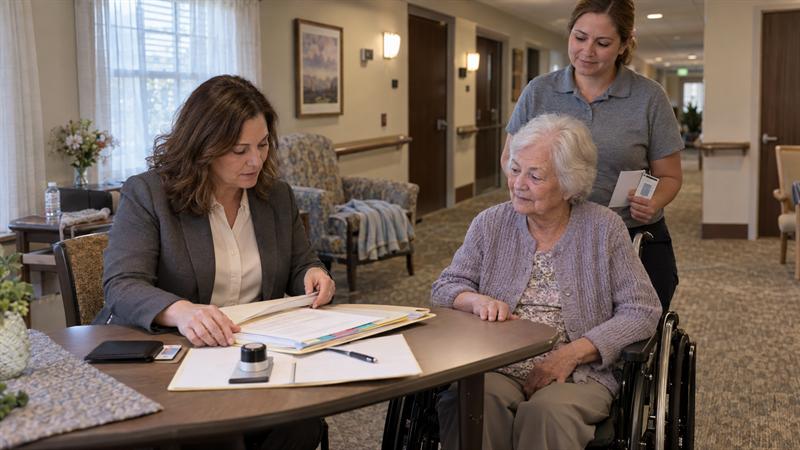
A mobile notary appointment may be the better option when the document must be handled in person, when a recipient requires traditional notarization, or when the signer cannot reliably complete a live online session. It can also be a clearer option when witnesses need to gather at one location.
- The recipient requires a wet-ink signature or original paper document.
- A signer does not have reliable internet, a usable device, or a private place to join.
- Required witnesses need to be present together.
- The document instructions call for an in-person process.
The right choice depends on the document and the recipient, not simply on which option appears faster. For a closer comparison, read Mobile Notary vs. Online Notary: Which Option Is Right for You?.
Prepare Your Document Before the Online Session
Your document should be complete, readable, and ready for the appropriate signing workflow before the session begins. A remote appointment can be delayed when a signer uploads a draft, misses a page, uses the wrong version, or finds unclear instructions after identity verification has started.
Complete the Document, but Do Not Sign Too Early
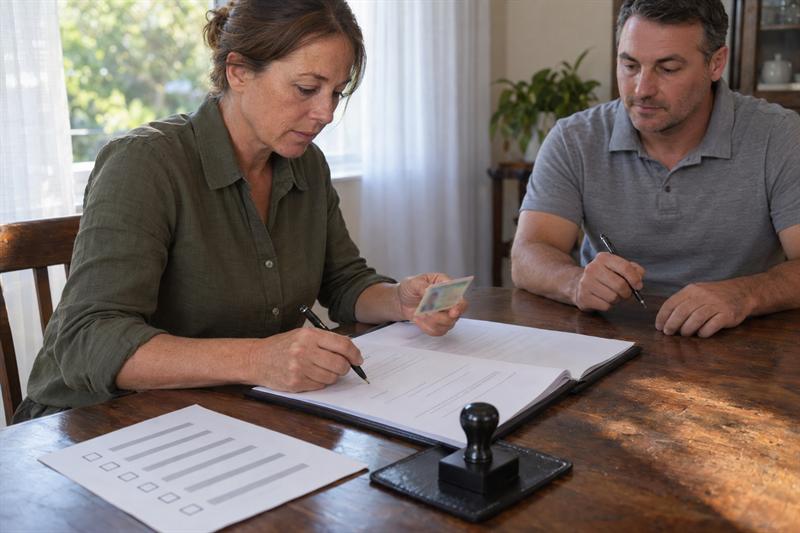
Complete the fields you are responsible for, but do not assume you should sign before meeting with the online notary. A document can be ready for notarization while its signature lines remain blank for the required signing step.
Names, addresses, dates, and other document details may need to be completed first, while the signature may need to occur during the live session. Signing too early can create a document issue that must be resolved before notarization continues.
- Review every page before uploading the file.
- Complete factual fields only as directed by the document or recipient.
- Leave signature lines open unless the document instructions clearly require otherwise.
- Do not add, remove, or change notarial wording on your own.
For broader preparation guidance that applies to both in-person and online sessions, see What to Bring to a Notary Appointment: A Simple Checklist.
Check for a Notarial Certificate and Witness Requirements
Some documents include notarial wording, such as wording for an acknowledgment or jurat. If the document does not include clear notarization instructions, obtain direction from the document recipient or a qualified legal professional before the appointment.
A notary cannot provide legal advice, interpret the legal effect of a document, or advise which notarial act is needed. Unclear document instructions should be resolved before the notarization moves forward.
Review witness requirements at the same time. The document, recipient, or applicable process determines whether witnesses are needed; notarization alone does not automatically create a witness requirement.
Use a Final, Complete, Readable Document File
Upload or provide the final document version, not a draft from an email thread or an older saved file. A missing attachment, unreadable scan, or duplicate version can create confusion when signers should be focused on verification and signing.
- Check that every page is present and in the correct order.
- Confirm that required attachments and exhibits are included.
- Use a file with readable text and complete pages.
- Remove unnecessary password restrictions if the appointment instructions require document access.
- Make sure all participants are working from the same final document version.
Confirming the file version before the appointment helps avoid confusion or a session that needs to be paused while participants compare documents.
Have the Right Identification Ready
Online notarization uses the applicable remote identity-verification process, so having an ID nearby is not enough. The ID should be valid, readable, and available to present clearly when requested.
Use Valid Government-Issued Photo Identification
For an online notary appointment, signers generally need valid government-issued photo identification that can be evaluated through the applicable RON workflow. Depending on the process, a driver license, state identification card, passport, or another qualifying credential may be accepted.
ID type and condition both matter. An expired credential, damaged card, name mismatch, or unclear image can delay identity verification and may prevent the session from moving to document signing.
- Use an unexpired photo ID.
- Have the physical ID available unless the appointment instructions specify another method.
- Check that the name on the ID aligns with the document and appointment information.
- Keep the credential clean, undamaged, and easy to read on camera.
For more detail on the safeguards involved, read how remote online notarization is verified and secured.
Make Sure Your ID Can Be Seen Clearly on Camera
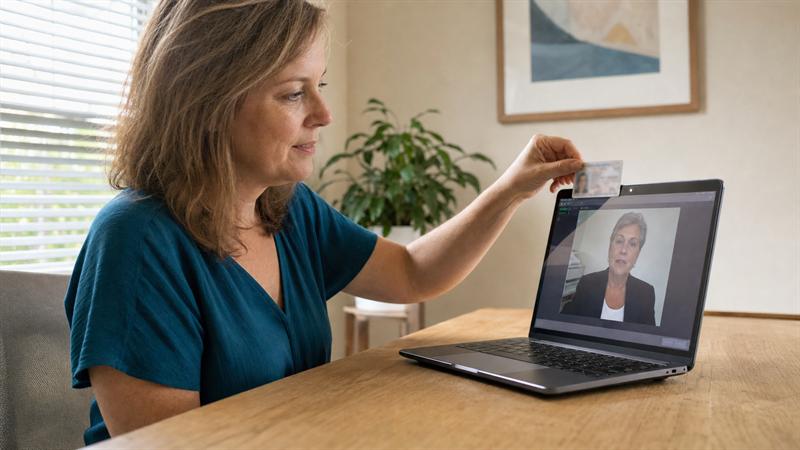
A valid ID can still create a problem if glare, poor lighting, camera focus, or a cracked surface makes it difficult to view. Place the ID against a plain background, avoid overhead glare, and hold it steady long enough for the required review.
If the camera preview is blurry, the room is dark, or a reflection covers the ID, correct the issue before the appointment begins. These technical details can cause delays once other signers and witnesses are waiting in the session.
Test Your Technology and Environment
A remote online notary session depends on clear live audio and video. Weak internet, blocked device permissions, poor lighting, and background interruptions can interfere with communication and identity review at the same time.
Check Your Device, Camera, Microphone, and Browser
You need a phone, tablet, or computer that supports the appointment platform and allows camera and microphone access. Test these basics before the scheduled time instead of troubleshooting after the appointment is underway.
- Charge the device fully or connect it to power.
- Allow camera and microphone permissions in the browser or app.
- Use the browser or app version listed in the appointment instructions.
- Test your audio by recording or joining a short video call.
- Close extra applications that could interrupt audio, video, or internet performance.
If camera or microphone access was previously denied, identity verification cannot begin until those permissions are restored. Address setup issues before joining the session whenever possible.
Choose a Reliable Connection and a Private, Well-Lit Location
Use stable Wi-Fi or a dependable cellular connection in a quiet, well-lit setting. The signer needs to hear questions clearly, respond without interruption, and present identification in a way that can be viewed properly.
Privacy matters as well. Public places can make it harder to protect document details, hear instructions, and stay focused. A stable setup helps participants move through the process with fewer interruptions.
Avoid a Moving Vehicle or Public Location When Possible
A moving vehicle or busy public setting can disrupt an online notary appointment through poor signal, shifting light, unstable camera positioning, background noise, and limited privacy. These issues can be especially difficult when multiple signers or witnesses are coordinating remotely.
Choose a fixed location where the device can remain steady and the session can continue without interruption. If a quiet, reliable setup is not available, an in-person mobile notary appointment may be the more practical path.
Consider a different format when the setup is already working against the session.
- Your recipient requires physical originals or in-person notarization.
- Your connection drops, camera fails, or microphone permissions are blocked.
- Required signers or witnesses cannot join from suitable locations.
- You cannot access a private, well-lit place for the live session.
These signs point to a preparation issue that should be addressed before the appointment. Improve the technical setup, coordinate participants, resolve the document requirement, or use a mobile notary service instead.
Coordinate Every Signer and Witness Before the Appointment
Every required participant needs a plan before the appointment begins. One missing signer, incorrect email address, unavailable witness, or unprepared participant can hold up the entire session.
Every Signer Should Be Ready to Join and Verify Identity
Each signer should have suitable identification, a working device, reliable internet, and enough uninterrupted time to participate. Signers should also know which document they are signing and the role they hold in the transaction.
- Confirm each signer’s name and email address before invitations are sent.
- Make sure each signer has their own ID and device access.
- Set an appointment time when every required signer can remain available.
- Make sure participants understand that the process requires live audio and video participation.
When several people are involved, confirm the details in advance. A late-arriving signer or conflicting document version can delay the other participants. Review the step-by-step remote online notarization process to understand how the session generally moves from identity verification through completion.
Confirm Witness Rules Before the Session Begins
You need witnesses only when the document, receiving organization, or applicable process requires them. The notary is not automatically a witness, and witnesses are not automatically provided as part of an online notarization appointment.
Before the session, determine how many witnesses are required, whether they must meet specific eligibility standards, and whether they may participate remotely for that document. Waiting until the appointment to resolve these questions can leave the signing process incomplete and require another appointment.
- Confirm whether witnesses are required.
- Determine the required number of witnesses.
- Verify whether the document sets eligibility rules for witnesses.
- Determine how witnesses must participate in the signing process.
What to Expect During a Remote Online Notarization Session
A remote online notarization session generally follows a clear sequence, although platform instructions and document details can differ. The process is designed to verify identity, complete the signing workflow, and perform the notarial act through live online communication.
- Join the online appointment using the provided instructions.
- Complete the applicable identity-verification steps.
- Confirm willingness and awareness as required for the notarial act.
- Sign the document through the designated workflow.
- The notary completes the notarial act, and the completed document is made available through the applicable process.
Preparation before step one is important. If the ID is unreadable, the file is incomplete, the recipient has not approved RON, or a required witness is missing, the session may not be able to move forward as planned.
Common Online Notary Checklist Mistakes to Avoid
- Assuming the recipient accepts RON: This can lead to a completed document that does not meet the recipient’s submission process.
- Signing too early: A signature added before the required session step can create a document issue that must be addressed before notarization continues.
- Using expired or unreadable ID: Identity verification can be delayed when the credential cannot be clearly evaluated.
- Uploading a draft or incomplete file: Missing pages, conflicting versions, and unfinished fields can interrupt the signing flow.
- Forgetting a required signer or witness: The document may remain incomplete until the missing participant is properly coordinated.
- Joining from an unstable technical setup: Poor internet, blocked permissions, and weak lighting can interrupt the live session when verification is needed.
- Expecting legal guidance from the notary: A notary cannot prepare the document, advise which notarial act is needed, or explain legal consequences. For a clearer explanation of this boundary, see what a notary can and cannot do during an appointment.
When to Choose an Online Notary or a Mobile Notary
Online notarization may be most practical when the receiving organization accepts it, the document is ready for a remote workflow, all participants can join, and the technology setup is reliable. It can be useful for signers who need a live notary session without traveling to a physical location.
Mobile notarization may be the better choice when the process needs to happen in person. This includes documents requiring physical originals, recipient requirements that exclude RON, difficult witness coordination, or signers who do not have a stable private environment for a video session.
- Choose an online notary when: the recipient accepts RON, all signers are ready to participate remotely, and the document workflow supports an online session.
- Choose a mobile notary when: physical presence, original paper handling, in-person witnesses, or recipient requirements make a traditional appointment necessary.
Sunshine Mobile Notary, LLC offers both options so the service can match the document’s actual requirements. Selecting the appropriate format first helps keep the appointment focused on completion rather than correction.
Company Approach: Readiness Before the Session
Sunshine Mobile Notary, LLC approaches online notarization as a preparation process, not simply a video appointment. The smoothest sessions begin when the recipient’s requirements, document version, signer availability, ID readiness, and technology setup have been reviewed in advance.
Many disruptions can be addressed before every participant has joined. An unclear document, missing witness, weak connection, or unconfirmed recipient acceptance is easier to resolve ahead of time. When the process supports RON, remote notarization can be a convenient option; when in-person service is the better fit, a mobile notary appointment can provide that alternative.
FAQ: Online Notary Appointment Checklist
What do I need for an online notary appointment?
You generally need a ready document, valid government-issued photo ID, a device with a camera and microphone, reliable internet, and a private place for the live session. Every required signer also needs to be available and able to complete the applicable verification steps.
Recipient acceptance is an important detail. A signer can have the right device and ID, but if the lender, agency, employer, or other recipient requires in-person notarization, the online session may not meet that process.
Can I use my phone for an online notary appointment?
A phone can work when it supports the appointment platform and has a functioning camera, microphone, battery, and dependable internet connection. The practical limitation is that smaller screens can make multi-page documents harder to review, and a handheld camera can make ID images blurry or affected by glare.
Set the phone on a stable surface when possible and test camera and microphone permissions before the appointment. If the device cannot maintain a clear, steady connection, an in-person option may be more suitable.
Should I sign my document before meeting with an online notary?
Do not assume you should sign before the online appointment. Completing factual fields and signing are separate steps, and some documents require the signature to be applied during the live notarial process.
Signature lines may need to remain blank until the designated signing step. Follow the document and recipient instructions, and do not add a signature early simply to make the document look complete.
What ID do I need for online notarization?
Online notarization generally requires valid government-issued photo identification that can be evaluated through the applicable remote verification process. A driver license, state ID card, passport, or another qualifying credential may be used where applicable.
The type of ID is only part of the issue. An expired, damaged, blurry, or glare-covered credential may not be usable because the remote process depends on clear presentation and verification.
Do I need witnesses for remote online notarization?
Witnesses are needed only when the document, receiving organization, or applicable process requires them. The notary does not automatically serve as a witness, and witnesses are not automatically included with an online notary appointment.
The important distinction is between notarization and witnessing. A document may need one, both, or neither, depending on its instructions. The number of witnesses, their eligibility, and how they participate should be resolved before the session begins.
What if the organization receiving my document does not accept online notarization?
If the receiving organization requires an in-person notarization, an online session does not meet that requirement even if the document could otherwise be handled remotely. The document will generally need a traditional notarization process instead.
A mobile notary appointment can be a practical alternative when travel is difficult, a physical original needs handling, or witnesses need to coordinate in person. The key question is whether the completed document meets the recipient’s process.
Conclusion: Prepare Before You Join the Online Notary Session
The appointment link itself is rarely the only consideration. Delays can come from unconfirmed recipient acceptance, premature signatures, incomplete document files, unclear identification, missing participants, or technology that was not tested.
Addressing those details before the session can help avoid stopped appointments, repeated scheduling, and documents that do not meet the receiving organization’s requirements. Sunshine Mobile Notary, LLC provides remote online notarization when the document and session setup support it, along with mobile notary service when an in-person appointment is the better solution. Use this checklist first, then choose the service format that matches the document’s requirements.